Today, we are talking about how to get more reliable internet without paying more each month. A lot of people will just assume that having better internet means paying a lot more money. A faster plan plus a higher bill, will solve the problem, right?
Nope. That’s not always true!
In many homes, unreliable internet isn’t caused by the internet plan you have, it’s caused by how the connection is set up and being used. Before trying to upgrade your internet or switching internet providers, you can easily look at what’s happening yourself, inside your network.

How to Get More Reliable Internet Without Paying More Each Month
The surprising part? You can often make your internet feel faster and more stable without spending any extra money. Below, we go over the things you can do to help make your internet quicker and be more reliable.
Start With Stability, Not Speed
When people talk about “better internet,” they usually mean how fast it is. But what really matters is the internet’s stability. A little slower connection that’s consistent is a lot better than a fast one that drops out or fluctuates.
What Stability Looks Like:
- Video calls without freezing
- Smooth streaming without buffering
- Consistent performance across devices
If your connection struggles with the things listed above, it’s usually a setup issue and not just a speed issue.
Fix Your Router Placement First!
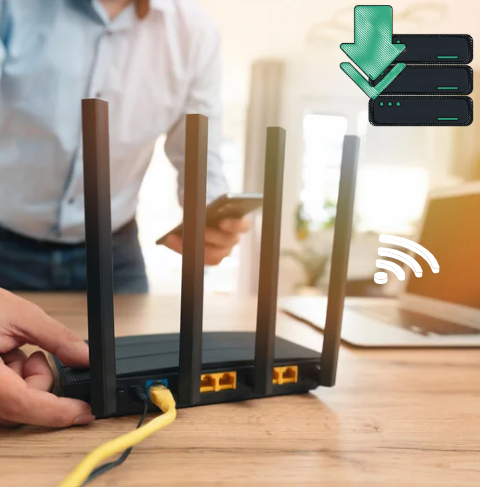
One of the easiest (and most overlooked) fixes is where your router is being placed in your home.
Why Does This Matter?
Wi-Fi signals weaken when they have to travel through walls, furniture, ceilings, and floors. If your router is in the wrong spot, parts of your home will always have a weaker connection. I know this because in our bedroom, our internet connection is a lot weaker than in our living room where our router is placed.
What Can You Do?
- Place your router in a central location
- Keep it elevated (not on the floor)
- Avoid corners, cupboards, or enclosed spaces
By trying the things listed above, can help to improve internet coverage and/or consistency across your entire home, not just certain parts of it.
Reduce Interference Around Your Network
Your WiFi signal competes with other signals in your home. Below are some common sources of interference.
Here Are So Common Sources of Interference:
- Nearby WiFi networks
- Microwaves and electronics
- Bluetooth devices
Easy Things You Can Try:
- Switch to a less crowded Wi-Fi channel
- Use the 5 GHz band for faster connections (when close to the router)
- Keep your router away from other electronics
An open and cleaner signal can mean a more reliable internet connection.
Check What’s Using Up Your Internet

Even a good internet connection can be unreliable if it’s constantly being used by a lot of different devices.
Find The Hidden Problems:
Devices don’t just use internet when you’re actively on them, they will also use it if they are doing any of the following, when you are NOT using them:
- Updating
- Syncing
- Downloading in the background
Things You Can Do To Fix These Issues:
- Pause updates during important tasks
- Disconnect unused devices
- Limit heavy usage when stability matters
By doing any of the above, will help to reduce unexpected slowdowns.
Use Wired Connections When It Counts
Wi-Fi is so convenient, but it’s not always the most stable (or reliable) option.
When to Use Ethernet:
- Work calls
- Gaming
- Uploading files
A wired connection avoids interference and gives you a more consistent internet experience, especially when you need it most!
Restart Your Router (But Don’t Rely on It)
Restarting your router can fix temporary issues, but it shouldn’t be your main solution.
If you’re restarting frequently, it usually means:
- Your router is struggling with demand
- There’s a deeper issue with your setup
Use it as a quick reset, not a long-term fix.
Update & Optimize Your Equipment
You don’t always need new gear, but you do need your current setup working properly.
Check for Firmware Updates!
Router updates can help do the following:
- Improve stability
- Fix bugs
- Enhance performance
Make Small Configuration Changes
Look for settings like:
- QoS (to prioritize important devices)
- Band selection (2.4 GHz vs 5 GHz)
These adjustments help your network run more smoothly.
When Your Plan Might Still Be the Issue…
After you’ve optimized and checked everything above, your plan may be the reason, but now you’ll know for sure because you would have tried everything suggested, above.
Signs You’ve Done Everything:
- Your setup is optimized
- Your router is placed in an open area
- Interference is reduced
- Device usage is managed
If your internet connection still struggles, then upgrading it may be something you really need to do.
A Better Way to Reliable Internet

Getting reliable internet isn’t just about paying more money each month, it’s about making the most of what you already have.
You can make small changes like:
- Moving your router
- Reducing interference
- Managing your network
All those things above, can have a bigger impact than most people expect!
Once your internet connection is running smoothly, everything else improves too. And instead of constantly troubleshooting or restarting your router, your internet will just work, quietly, consistently, and without any frustrations.
Ahhhh, if only! Haha! But hopefully, my post will help you eliminate any internet issues you may be having and maybe help you save money upgrading to another expensive internet package. Let me know in the comments, what trouble shooting ideas you would add to my list above!